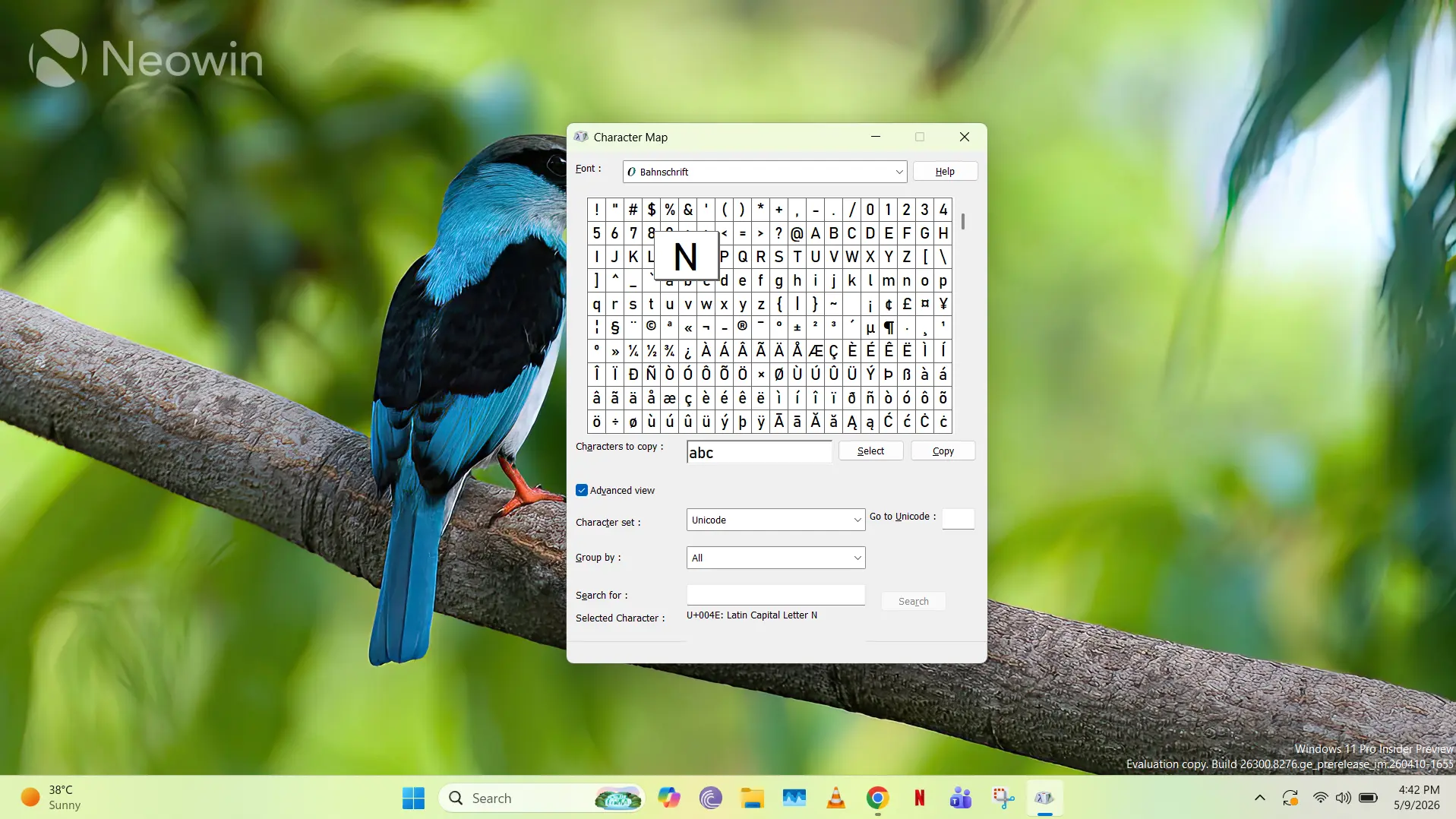
Character Map may look ancient in Windows 11, but a surprising number of users still defend the forgotten utility against removal.
Windows 11 has its fair share of legacy tools still embedded within the operating system, which isn’t surprising at all since the software has been evolving iteratively over the past several decades. Notable examples of this include Steps Recorder (deprecated) and WordPad (recently removed), where the software in question has just outstayed its welcome and is no longer considered useful, either by Microsoft or by the vast majority of Windows users. Another such example of ancient software that exists in Windows 11 is the Character Map.
Character Map (charmap.exe) has existed in Windows for decades, almost completely unchanged. A recent Reddit discussion has people reminiscing its existence since at least Windows NT 3.1, making it over 33 years old.
Despite its age, it’s something that most of the “modern era” of Windows users don’t really know about, because most don’t actually need it. As the name suggests, Character Map simply presents you a “map” of characters, allowing you to switch between different fonts installed on your PC, and discovering the keyboard input code for each character. There is also an Advanced view that enables you to select a character set, a grouping, and the ability to search by the keyboard input code.
There are, or were, multiple use-cases for Character Map. These include the ability to select special characters and typography in specific fonts for designers or for people involved in creating specialized documents, and it’s also helpful for developers who need the keyboard input code for their software. You can also copy a string of input characters and paste it in the software of your choice, provided that it supports them.
It’s important to note that Windows already offers a modern alternative of Character Map in the form of the emoji input panel (Win + .). However, I wouldn’t call this an exact alternative since it doesn’t offer a lot of the special characters and is primarily for quick use while typing, in comparison to Character Map which is geared more towards specialized use-cases.
I have seen many arguments online that urge Microsoft to get rid of Character Map since it hasn’t been significantly updated in over 30 years and is a legacy piece of software with very few use-cases, but interestingly, there are still a lot of proponents who claim that Character Map should continue to remain supported. This is because it has a very small memory footprint and it doesn’t intrude upon workflows unless you intentionally tigger it.
As it currently stands, Character Map is in a rather interesting state. It’s clearly a very legacy tool stuck in time, but still has a small but dedicated user base. Since it has existed in Windows for decades without causing any issues, Microsoft has either simply forgotten about it or thinks it’s not worth the hassle to remove it altogether. Or perhaps, the company is trying to figure out a way to integrate Copilot into Character Map? I kid, I kid.